

AI for beginners over 60 is no longer a futuristic concept—it’s a practical tool that can simplify and enrich your daily life. In today’s fast-paced digital world, Artificial Intelligence Assistants (AIA) are becoming increasingly common. Everybody is using them—governments, industries, schools, and businesses—to increase efficiency and discover new ways of doing things
We, as individual consumers—especially those exploring AI for beginners over 60—are using them to help in everyday life. From managing schedules to answering questions, writing emails, suggesting recipes, and even planning travel itineraries, these smart tools are transforming how we live and work.
For many exploring AI for beginners over 60, the idea of using AI might feel intimidating—just another modern fad that only our children or grandchildren understand. If that sounds like you, don’t worry. Change at Sixty has designed this guide this guide as part of our commitment to making AI for beginners over 60 accessible, practical, and even enjoyable.
Whether you’re retired, semi-retired, or still working, AI assistants can make your life easier, more organized, and even more fun. Let’s explore what AIA is, how it works, and how you can start using it confidently—no tech skills needed.
.


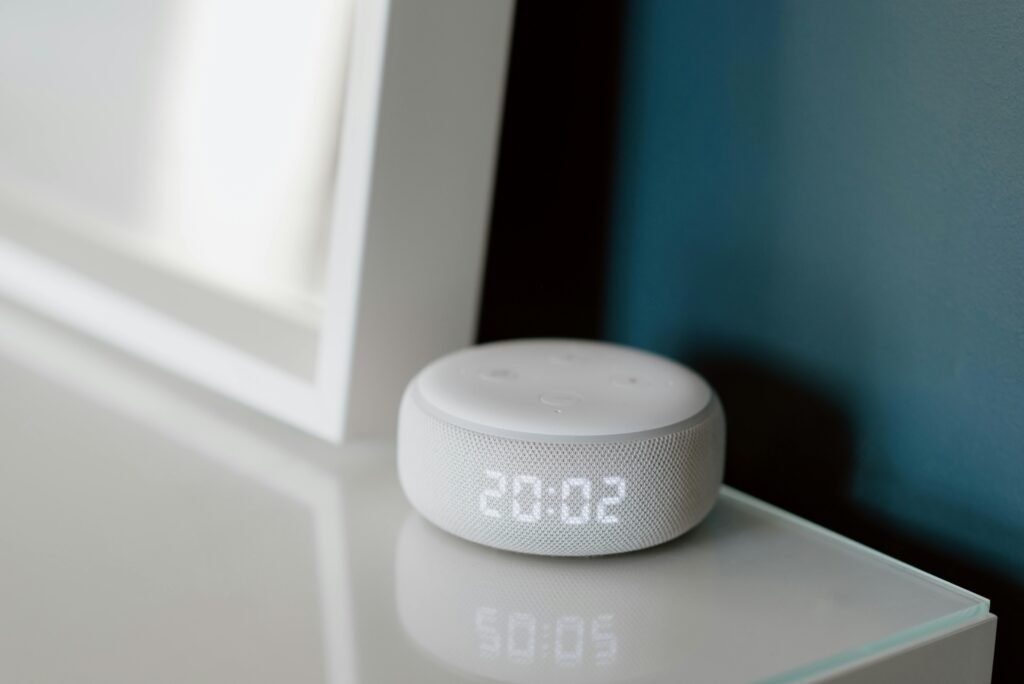



What Is an Artificial Intelligence Assistant (AIA)?
An AI assistant for beginners is designed to be easy to use, even if you’ve never interacted with smart technology before. You can talk to it, type to it, or interact through apps and smart devices. Popular AI assistants include:
- Siri (Apple)
- Alexa (Amazon)
- Google Assistant
- Microsoft Copilot
- ChatGPT
You can speak to these assistants or type your requests. For example:
“Hey Alexa, play my favourite song.”
“Ask Copilot to, plan a two-week trip to Ireland from Perth, Australia, starting October 10th, including vegan-friendly accommodation with a gym in Dublin.”
AI assistants can also:
- Set reminders and alarms
- Write emails or documents
- Translate languages
- Provide weather updates
- Help with shopping lists
- Offer companionship through conversation
Idea: Want to start a blog? Ask Chat GPT or Copilot for niche ideas and blog structure suggestions. These tools are excellent for AI content creation..
AI for Beginners Over 60 Is More Relevant Than Ever

- Easy to Use
Most AI assistants are voice-activated or text-based. You don’t need to navigate complex menus—just say or type your request.
- Accessibility
AI can assist with vision or mobility challenges by reading text aloud, dictating messages, or controlling smart home devices like lights and thermostats.
- Staying Connected
AI helps you stay in touch with loved ones by sending messages, making video calls, or suggesting conversation topics.
- Learning and Entertainment
Want to learn a new language, explore a hobby, or read a book? AI assistants can recommend resources, play music, or even tell jokes.
Check out our blog AI Tools for Older Adults: 6 Powerful & Easy Options to Get Started Today for tips on how to start with AI
Getting Started with AI for Beginners Over 60: A Step-by-Step Guide
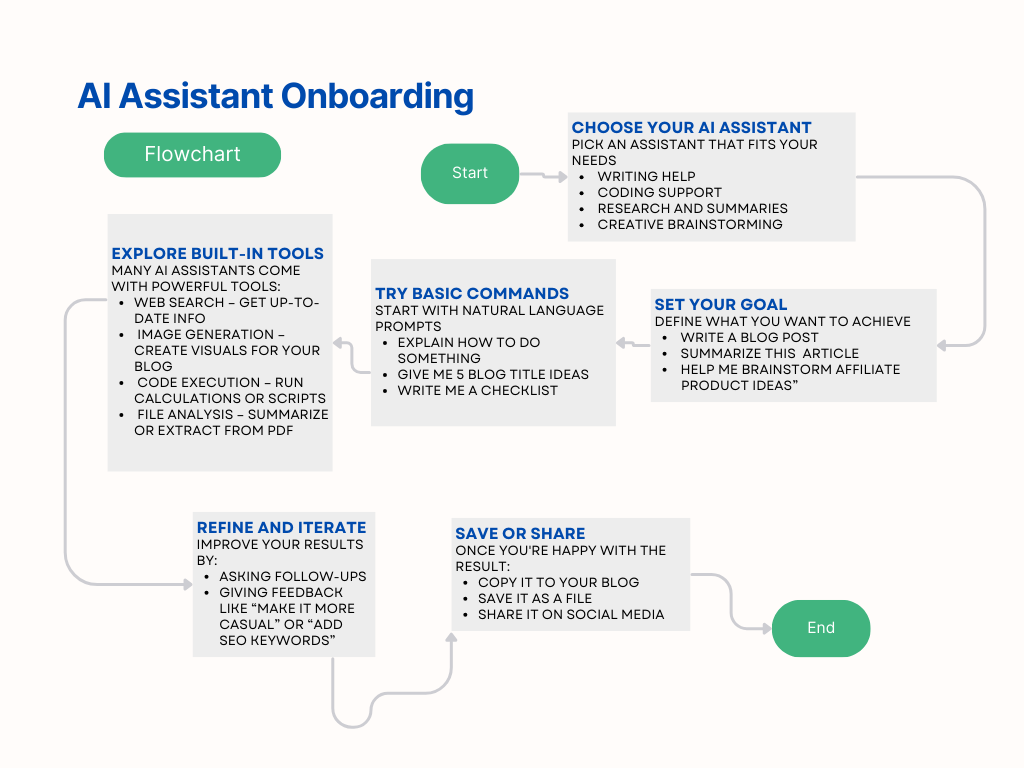
Step 1: Choose Your Assistant
Depending on your device, you may already have an AI assistant:
- iPhone/iPad: Siri
- Android: Google Assistant
- Windows PC: Microsoft Copilot
- Smart Speakers: Alexa or Google Nest
- Online Tools: ChatGPT or Copilot for advanced writing and research
Step 2: Try Simple Commands
ChatGPT for seniors is a great way to explore writing, planning, and learning—without needing advanced tech skills
Start with easy tasks:
“What’s the time in London?”“
“Set a reminder for my doctor’s appointment tomorrow at 10 AM.”
Then move to more advanced tasks:
“Write a birthday message for my granddaughter.”
“Translate ‘Good morning’ into French.”
Step 3: Learn from the many available AI tools
Best AI Tools for Seniors Who Want to Create Content
If you’re interested in creating content—blogs, emails, or social media posts—These AI tools for seniors are especially helpful for those over 60 who want to create content without typing or editing manually
- Jasper AI: A powerful writing assistant ideal for marketing and blogging.
- Writesonic: Great for generating blog posts, ads, and product descriptions.
- Surfer SEO: Helps optimize your content for search engines. Combine it with Jasper for SEO-friendly writing
Platforms like Teachable and Skillshare offer courses on AI, blogging, and digital skills. They are simple to understand, and you can learn at your own pace.
If you prefer speaking over typing, AI-powered transcription tools can convert your voice into text:
- Otter.ai: Automatically transcribes meetings, notes, or personal recordings. Great for journaling or writing without typing.
- Descript: Edits audio and video using text commands. Ideal for creating podcasts or narrated videos.
These tools are especially helpful for the over 60’s who want to create content without typing or editing manually.
Staying Safe and Private With AI For Beginners over 60

AI assistants are generally safe, but it’s important to understand privacy settings:
- Review what data is being collected
- Turn off voice recording if preferred
- Use secure passwords
- Avoid sharing sensitive financial information
Common Concerns
“I’m not tech-savvy.”
You don’t need to be! AI assistants are intuitive. If you can use a smartphone or type a message, you can use an AIA. You can even ask an AIA how to use AI—how good is that?
“What if I make a mistake?”
AI assistants don’t judge. You can rephrase your question or ask for help. The more detail you give, the better the response.
“Is it safe?”
Yes, as long as you follow basic digital safety practices and use trusted apps and devices.
Tips for Making the Most of AI for Beginners over 60
- Start small: Use one or two features regularly before exploring more.
- Ask questions: AI thrives on curiosity. Don’t be afraid to ask anything.
- Use it daily: The more you use it, the more natural it becomes.
- Teach others: Share your experience with friends or family. You might inspire someone else to try it too!
Final Thoughts

Embracing AI for beginners over 60 isn’t about keeping up with the latest tech trends—it’s about discovering tools that can genuinely improve your quality of life. Whether it’s organizing your day, staying connected with loved ones, or exploring new hobbies, AI assistants can help you do more with less effort.
You don’t need to be tech-savvy or have a background in computers. With just a little guidance, AI for beginners over 60 becomes not only accessible but empowering. It’s never too late to learn AI over 60—especially when the tools are designed to be intuitive and beginner-friendly
Ready to take the first step? Explore our beginner-friendly tutorials and resources designed specifically for AI for beginners over 60. Start small, stay curious, and let Change at Sixty guide you toward a smarter, more confident future.
Affiliate Disclosure
At Change at Sixty, transparency is important to us. In compliance with the Federal Trade Commission (FTC) guidelines and Amazon Associates Program requirements, we want you to know that some of the links on this website are affiliate links.
This means that if you click on an affiliate link and make a purchase, we may earn a small commission at no additional cost to you. These commissions help us maintain this site and continue creating valuable content for our readers.